To successfully apply your Kaspersky coupon code, follow these steps to apply it and reduce the total at checkout. Our codes are verified and manually hand-tested before being put live on this page.
1
Choose your Kaspersky discount code
Select a Kaspersky discount code that suits your needs from the list above. For example, if you would like to get ‘10%’ off your purchase, select that code and redeem it by clicking on the ‘Get Code’ button.
2
Copy your Kaspersky voucher code
Copy the code once it is revealed. Click on the new tab that opens in your browser to go to the official Kaspersky website.
3
Compare
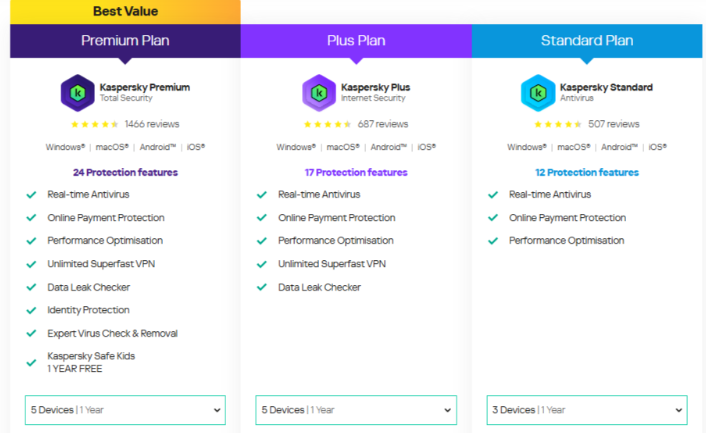
Browse the website and the different plans available, see which plan suits your needs, and click on “learn more” on the plan (Standard, Plus or Premium plans).
A new page will open, and all you have to do is read and view the options and select how many devices you would like to add to your plan.
4
Checkout
Once you have selected how many devices to add to your plan, click on “Buy Now”, and it will redirect the page to the checkout page.
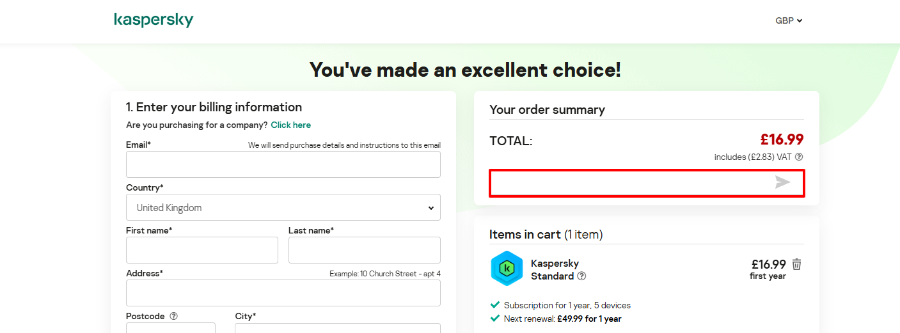
This is where you will add your Kaspersky discount code in the box labelled “Do you have a promo code?”. Once you have added your discount code, please ensure your total has been reduced before paying and completing the checkout.