1
Step 1: Browse through the BudgetAir promo codes
Take your time to browse through the different codes we have uploaded and pick the one that offers you the best value for your travel plans by clicking the “Get Code” button. There will be a code that pops up. Copy the code for later use at checkout.
2
Step 2: Select your travel dates
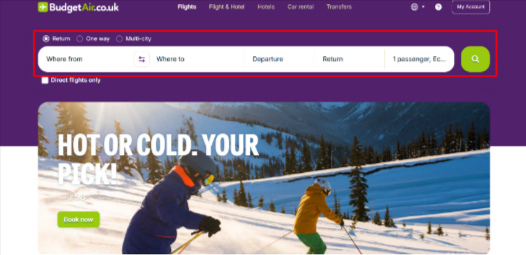
Enter your departure city, destination, and travel dates. Play around with the dates if you need to.
3
Step 3: Choose your preferred option
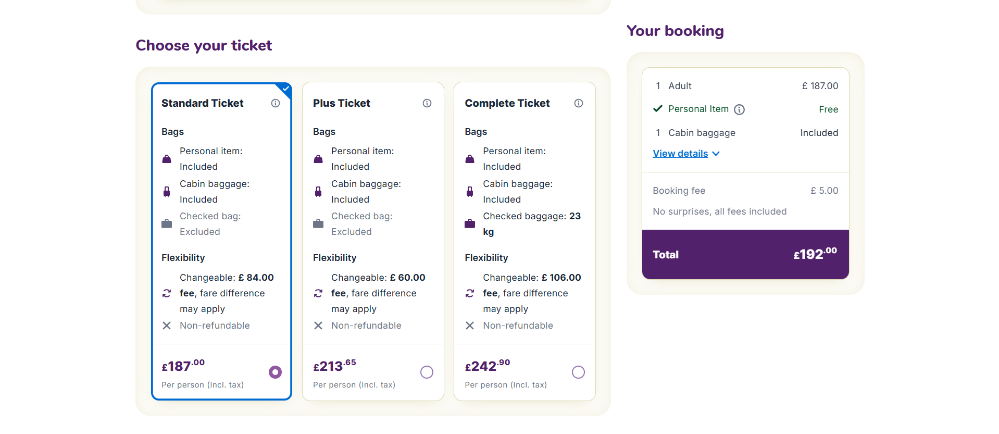
There will be a variety of options that BudgetAir will offer you, and when you have made your choice, click the “Book flight” button. If you are booking more than a flight, this is when you pick out your most favourable option.
4
Step 4: Customise your trip
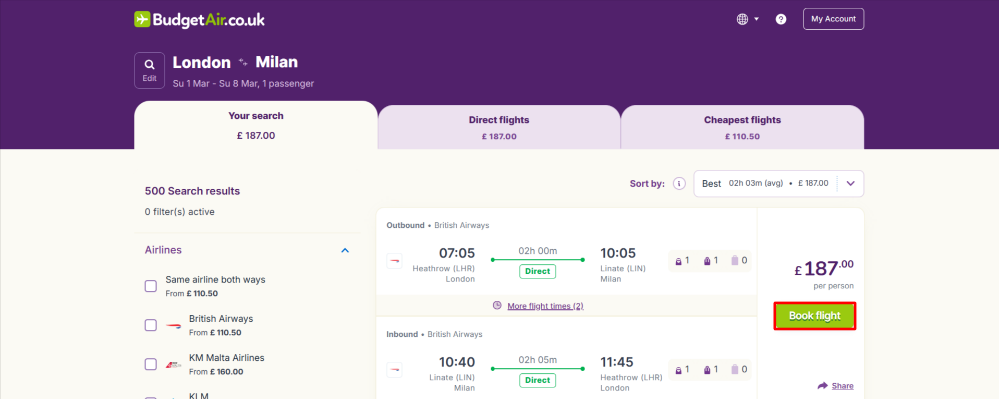
BudgetAir will offer you an opportunity to customise your trip, this is where you can add extras like refund security, extra baggage or travel insurance. When you are satisfied, you can move on to step 5.
5
Step 5: Enter your details
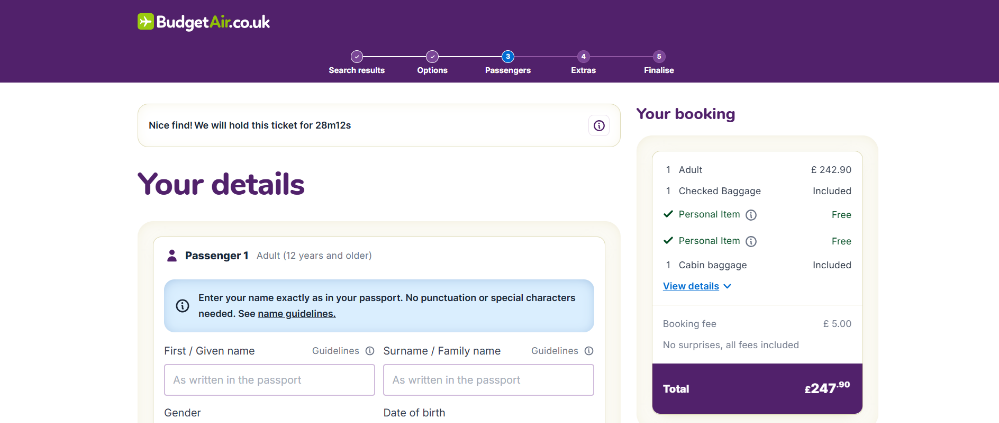
For this step, you will need your passport or ID on hand to make sure that you enter the correct details, as your personal details will be needed. When you are done with entering your details, you can head over to the payment section.
6
Step 6: Save and pay
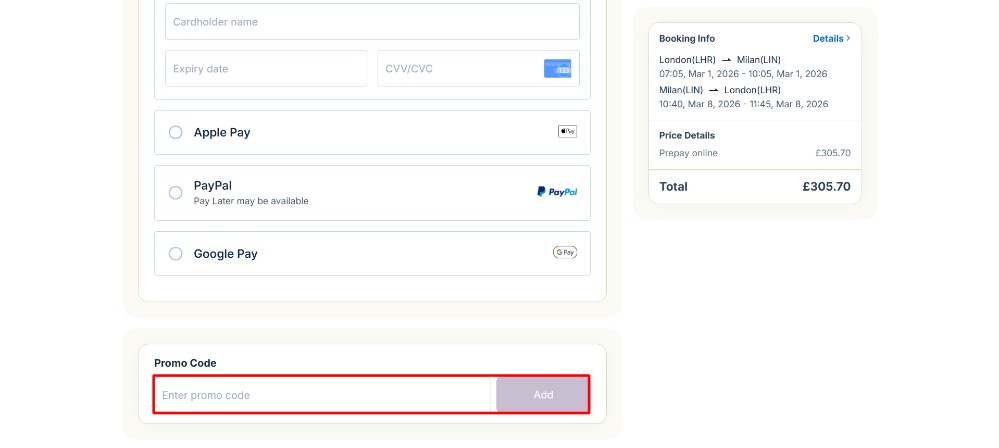
At the checkout screen, go ahead and enter your payment details and then paste your BudgetAir discount code in the "Promo code" section. Click “Add” to claim your discount. When you have done this, you are ready to start packing.