The Gift Experience have made it as simple as possible to order your personalised item. The Gift Experience have also added functionality that allows you to check and update your information.
Adding a Single Item to an Order
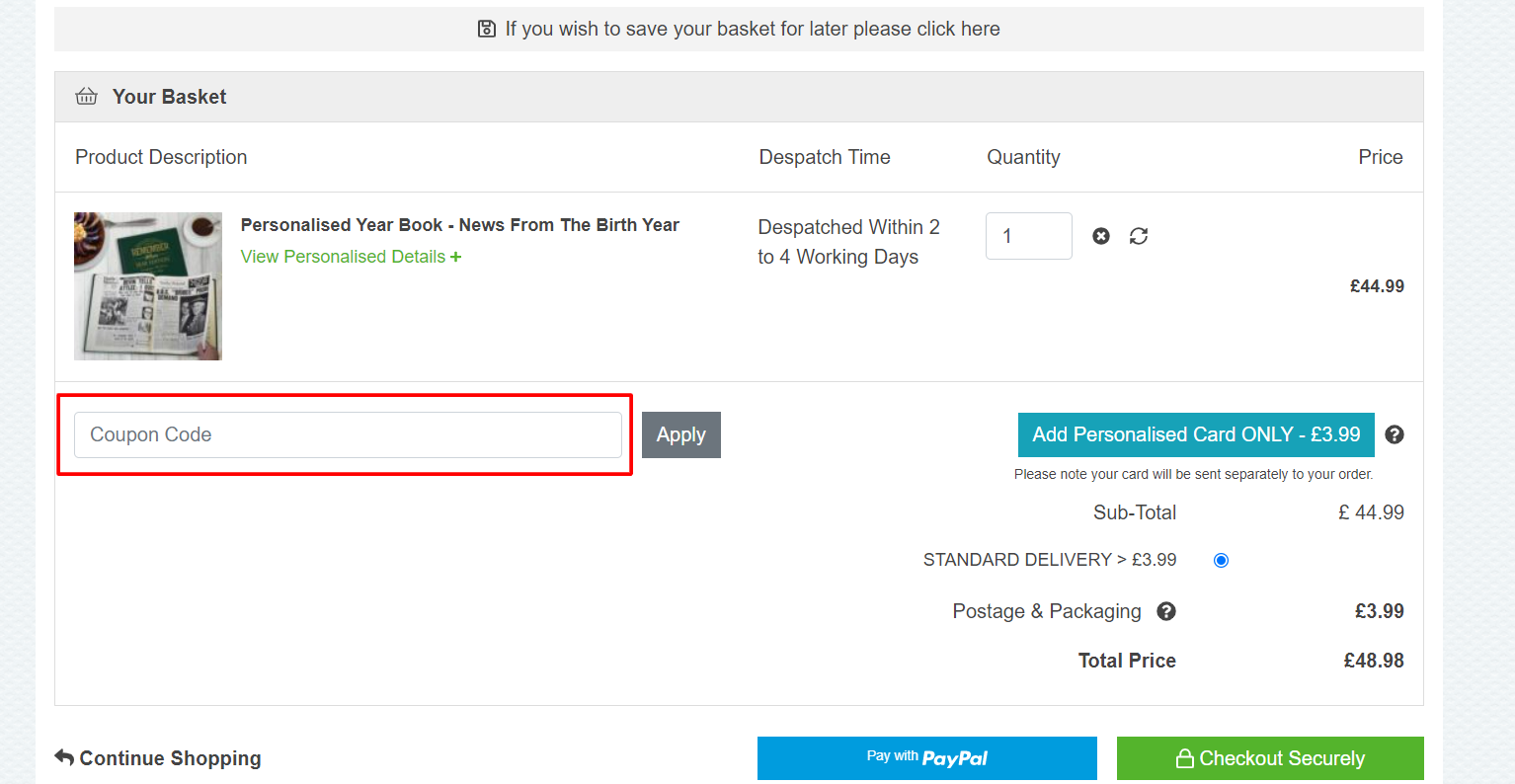
When you have decided which item you want, enter the personalised details on the product page, following the help provided. Then select Add to Basket from the drop-down menu. You will then be taken to the Basket Page. On the Basket page against the product you have ordered, you will see the item you have added and against it, you will see the details you have entered. If you wish, you can edit your personal information by clicking the Edit Details link in the Personalised Details box. If necessary, make changes to the details here, then click the Update button.
Proceed with the purchase if you are satisfied with the details.
Multiple Item Ordering
You might want to order a few different things. If the products are all different, follow the same steps as before. But if you require multiple products of the same type, The Gift Experience has provided some functionality to make the task easy.
If for instance, you wanted to purchase 4 God Parent Candles, this is the best way to do it. Begin by following the steps above as if you were purchasing a single item. When you are taken through to the basket, you will see the details as you have entered them. There is then an Add Another link in the Personalised Details box, just click on this, and you will then see another entry for the same item. Then click the Edit Details against that item and enter your details, click Update, these details will now show in the basket. Rep this process until you've purchased the desired quantity of items. When you're ready, go ahead and make your purchase.
PLEASE BE CAREFUL if you are buying such products Wedding Cartoon tankards with each one being a variation on Style, e.g. 1 Wedding Cartoon Tankard - Usher, 1 Wedding Cartoon Tankard - Best Man, 1 Wedding Cartoon Tankard - Father of The Bride. In this case, you'll need to purchase each variation separately and fill in the details accordingly.
Details will be sent later
The Gift Experience are aware that not everyone has the details to go with the products when they order them, especially images. Therefore we have provided an option to Send Details Later; you will see this at the bottom of the box where you enter your details. If you want to send it later just tick the box and The Gift Experience will know that you have chosen to do this and The Gift Experience will wait for them to arrive, although The Gift Experience may chase you if The Gift Experience doesn’t receive them after a few days.
Can I add more personalisation to the box because there isn't enough room?
On occasion The Gift Experience can add a few extra characters if required, please call or email customer services to check before placing an order. All character limits have been set to ensure that your gift has the best possible layout.
Is it possible to see a sample of my personalised item?
Some products include a preview feature that allows you to see how your product will appear. The products were The Gift Experience can't show you a preview, The Gift Experience let The Gift Experience's expert production team use all their experience to ensure products are laid out and set up to the best possible design. Many of The Gift Experience's gifts feature customer reviews that express their satisfaction with the personalised item.