Looking for money off Just Eat orders? Then you’ve come to the right place. All you have to do is follow the steps below to save money on your next food delivery. A verified offer or code should always be available to be redeemed.
1
Select a code that suits your needs
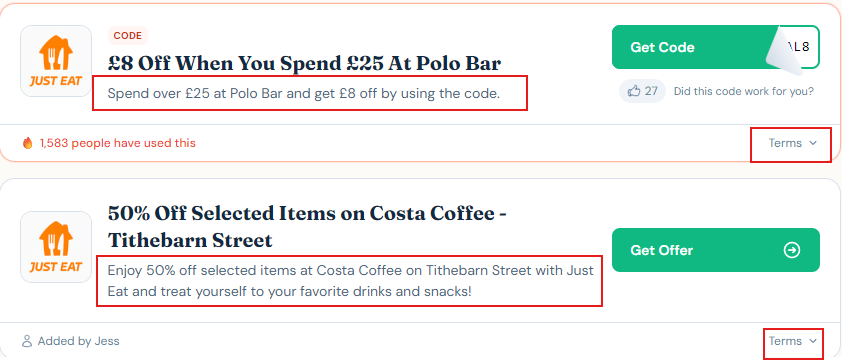
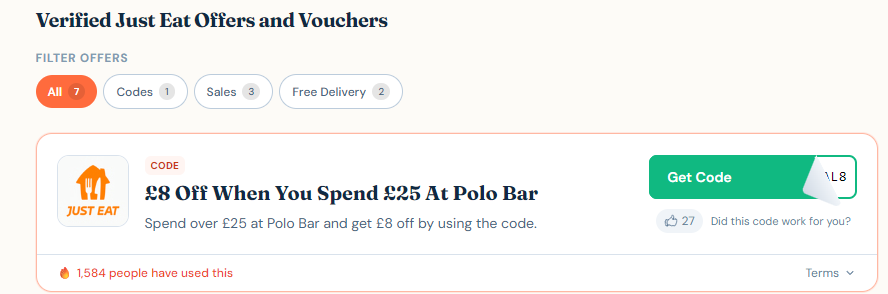
From the codes listed above on the left-hand side of the screen, choose a Just Eat discount code that works best for your order.
2
Copy the code
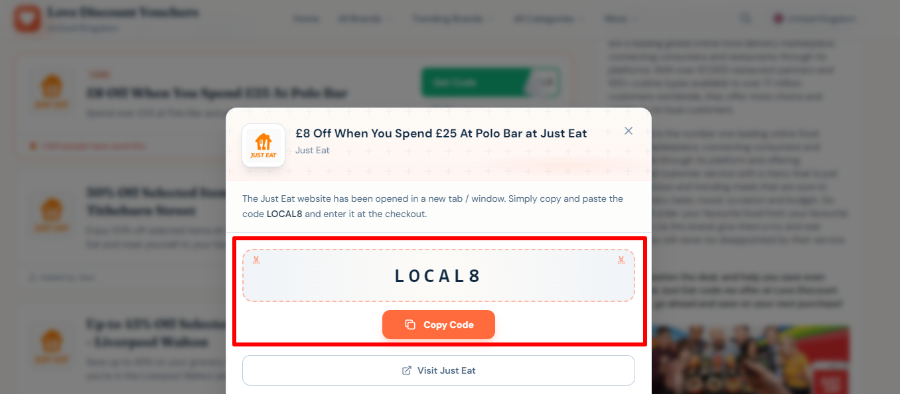
Click the visible green "Get Code" button. A pop-up page will appear and you will be able to copy the Just Eat discount code directly or you can do this manually.
3
The official website will open in a new tab
A new tab will open with their official website. Now you may select the restaurant or store you would like to purchase from.
4
Add items to the cart
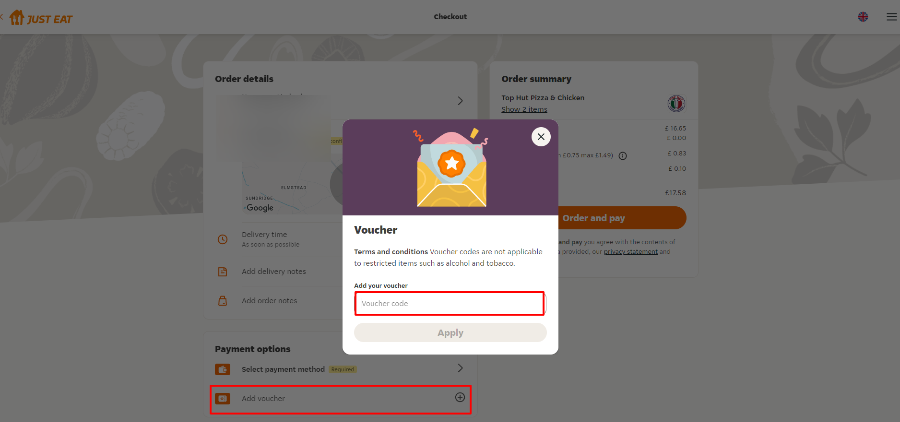
Add your chosen items to your cart. In this example, we have selected Top Hut Pizza & Chicken. Add your copied code into the 'Add your voucher' box and click 'Apply.'
5
You're ready to place your order
After adding your Just Eat voucher code and once the voucher code has been successfully applied, you will be able to add/edit the delivery notes and click on 'Order and pay.'
Now, the hard part is to wait for your order to arrive and decide whether to share or not!