Up to £101 Off Flamingo Land
Save up to £101 on family days out at Flamingo Land with Kids Pass vouchers.
Terms and conditions
- Available while stock lasts.
- Subject to availability.
- For full terms & condition, please kindly visit Kids Pass website.

Save up to £101 on family days out at Flamingo Land with Kids Pass vouchers.
Terms and conditions
Save 30% on admission to Chester Zoo with Kids Pass and enjoy a fun family day out.
Terms and conditions
Save up to 56% on family activities and attractions across the UK with Kids Pass this spring.
Terms and conditions
Never miss cashback. Our free Chrome extension alerts you automatically at every partner store.
Save up to 51% on admission to top theme parks and attractions with Kids Pass.
Terms and conditions
Get 30 days of Kids Pass membership for just £1 and unlock unlimited activities for your family.
Terms and conditions
Get unlimited family fun with Kids Pass's annual membership at 35% off today.
Terms and conditions
Get up to half-price entry at museums and stadium tours with Kids Pass, and enjoy great days out for less.
Terms and conditions
Get up to half price off a range of indoor activities with Kids Pass, perfect for keeping the kids entertained.
Terms and conditions
Get up to half-price off a range of outdoor activities for the whole family with Kids Pass.
Terms and conditions
Unlock amazing family memories for less with Kids Pass — get discounts on attractions, theme parks, and more.
Terms and conditions
Save up to 35% on family fun at zoos and safari parks with Kids Pass and make unforgettable memories together!
Terms and conditions
Shop and save up to 40% on amazing toddler-friendly deals and discounts with Kids Pass, perfect for family fun.
Terms and conditions
Save on your next family getaway with Kids Pass, and enjoy discounts of up to 30% on amazing holiday destinations.
Terms and conditions
Save up to 30% on family-friendly hotels with Kids Pass and make your next getaway unforgettable!
Terms and conditions
Save on family meals with Kids Pass and enjoy up to 20% off at participating restaurants for memorable dining experiences.
Terms and conditions
Enjoy thrilling fun at trampoline parks with Kids Pass and save up to 20% on your next adventure!
Terms and conditions
Enjoy up to 10% off family activities with Kids Pass, including bowling, arcades, and mini golf, and make unforgettable memories.
Terms and conditions
If you’re looking for a discount or deal on your online purchase at Kids Pass then Love Discount Vouchers is the right place for you. All you have to do is follow the steps below to claim your offer.
Step 1: Pick your desired offer from above
Select the deal you want to use from above. If the deal is an offer, you'll select 'Get Offer'.
NOTE: in the case of Offer deals, discounts will be automatically applied.
Step 2: Click 'Go to the Kids Pass site'
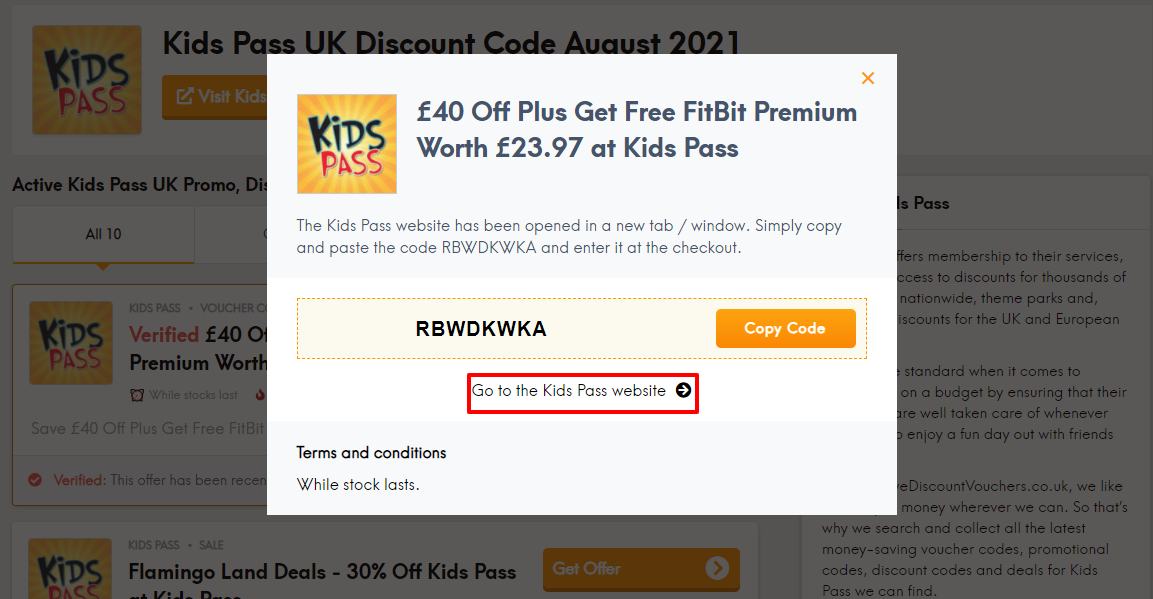
This will take you to the Kids Pass website.
Step 3: Shop, shop, shop!
Identify which pass you want to get that will allow you to spoil the whole family!
Step 4: Proceed to checkout
When you're done, select 'Join' at the top of the page to view the membership offers.
Step 5: Enjoy!
You're all set to start enjoying thousands of discounts. Happy Saving!
Always note: There are Terms and Conditions associated with codes which you must comply with (like only being able to apply a code to certain items), please take note of these.
Based on our research, it appears that Kids Pass does not offer any buy now, pay later options currently. You can contact Kids Pass to see if there have been any updates or changes. You can also visit Kids Pass’s homepage to see if they have posted any updated information about buy now, pay later support.
Here are some great tips & tricks for extra savings at Kids Pass:
Enjoying great savings with Kids Pass can be done in three simple steps

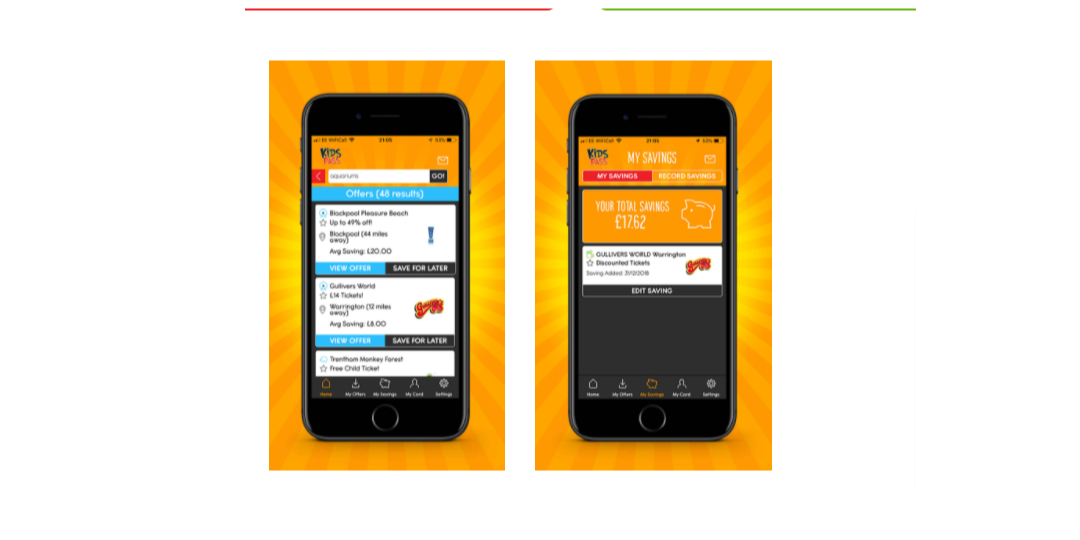
One of the features of Kids Pass that is exclusive to members, is that kids can eat free. This feature is included as part of customers Kids Pass membership and kids can eat free in 1000’s of restaurants nationwide.
How it works:

Kids Pass is a digital membership group that offers discounts at cinemas, attractions and restaurants across the UK, along with UK and European holidays!
Customers can find their digital card on their Kids Pass app. They should select 'My Card' next to the settings option.
Customers can view a list of all of Kids Pass’ offers before joining on their free Kids Pass app. Customers can search by category, region or simply click ‘show offers near me’. To download the Kids Pass app please visit www.kidspass.co.uk/app
While most Kids Pass offers can be used 7 days a week, customers should please be mindful and read the terms and conditions where they can find any exclusions that may be set out.
If customers have booked their tickets through Kids Pass, they can find their tickets easily on the app. Simply click on the bottom ‘My Offers’ tab, and then on the ‘Tickets’ section at the top!
Customers can cancel their membership for any further payment through the link www.kidspass.co.uk/members/account and select ‘Manage Subscription’ from the ‘My Account’ drop-down menu.
It is possible for customers to cancel future payments at any time during their membership however, it is not possible to issue refunds once payments are processed as all payments are automated.
If you need to get in touch with Kids Pass about an order, an inquiry, or anything else, there are a number of ways you can do this.
Send an email
You can send an email at enquiries@kidspass.co.uk and they will be happy to help.
Phone
Give Kids Pass a call at +44 161-244-8225 and they will be more than happy to help.
Address
Or you can visit Kids Pass at their address here at
Windsor House, Windsor Way, Knutsford WA16 6JB, United Kingdom
Kids Pass is an online retailer that is open 24/7
You can speak to Kids Pass via phone Monday-Friday: 9:00 am - 5:00 pm GMT What makes Kids Pass stands above other similar online retailers is their brilliant customer service. They put their customers as a top priority. Their team responds as quickly as possible and through various platforms like Facebook, Twitter and Email. Whatever your inquiry is, Kids Pass is always there to help you!
Traditionally considered the beginning of the holiday shopping season, Black Friday is the biggest sale event of the year! Retailers offer epic deals, sales, and promotions so now is the time to treat yourself to that Kids Pass that you’ve been keeping an eye on.
There’s no doubt one of the biggest days in shopping history can be overwhelming. That’s why we at Love Discount Vouchers are here to make your Black Friday an absolute breeze by collating all the best Kids Pass Black Friday discount codes for you in one place! We’re here to help you stretch your money a little bit further so you can bag all the items on your wishlist. Take a good look at all our Kids Pass discount codes, to get the best deal on Black Friday.
Couldn’t get your hands on that Kids Pass item you wanted over Black Friday? Never fear, Cyber Monday is here! Cyber Monday, the Monday after Black Friday, is a 24-hour shopping event created solely for online shopping. Shop some of the biggest Kids Pass discount codes, deals, offers, sales, and promotions all from the comfort of your home.
We like to save you money wherever we can here at Love Discount Vouchers. So, we’ve done all the hard work for you and we’ve rounded up all the latest Kids Pass Cyber Monday money-saving deals, discount codes, vouchers, and promotional codes for you to choose from.
Happy shopping!
Some genius decided the massive sales just have to continue into the two days (Saturday and Sunday) between Black Friday and Cyber Monday too ... enter Cyber Weekend! That’s right, 48 hours of unmatched Kids Pass discount codes, deals, sales, offers, and exclusive promotions. If you thought Black Friday and Cyber Monday were something to look forward to, wait ‘til you get a load of what Cyber Weekend has to offer.
At Love Discount Vouchers trust that Cyber Weekend is an integral part of the annual shopping calendar. Who doesn't want an extra 2 days of epic deals and sales? We've gathered all the best Kids Pass Cyber Weekend discount codes so you can take advantage of substantial discounts!
Take a look and get shopping!